Hi! I’m Delaney. ︎
I’m a product and visual designer looking to turn stories into beautiful and immersive experiences.
MORE ABOUT ME︎︎︎




Hi! I’m Delaney. ︎
I’m a product and visual designer looking to turn stories into beautiful and immersive experiences.
MORE ABOUT ME︎︎︎

03 PLENTY
2025
Plenty
PROJECT OVERVIEW:
The prompt for the NYU UX Club’s Design-A-Thon was to design an AI-powered mobile app that helps users make more sustainable lifestyle choices through personalized insights and guidance. For our entry, we designed an app that helps users keep track of their fridge, know when their items are going to expire, and find personalized recipes based on their pantry, winning the category “Best UI Design” out of 90 participants.
The prompt for the NYU UX Club’s Design-A-Thon was to design an AI-powered mobile app that helps users make more sustainable lifestyle choices through personalized insights and guidance. For our entry, we designed an app that helps users keep track of their fridge, know when their items are going to expire, and find personalized recipes based on their pantry, winning the category “Best UI Design” out of 90 participants.
TIMELINE:
November 8–9, 2025
24 hours
ROLE:
UX Designer
Visual Designer
November 8–9, 2025
24 hours
ROLE:
UX Designer
Visual Designer
TOOLS:
Figma
Adobe Illustrator
Adobe After Effects
Procreate
TEAM:
Andy Cabindol, Cate Hackett
Figma
Adobe Illustrator
Adobe After Effects
Procreate
TEAM:
Andy Cabindol, Cate Hackett
Mark is standing in the dairy aisle at the grocery store.
He is planning to cook breakfast for the family this weekend, but he can’t remember if he has enough eggs, or if the carton in his fridge is nearly empty. He decides to buy a new dozen, thinking, “Better safe than sorry.”
When he gets home, he finds a half-dozen eggs already in the fridge. Worse, the expiration date on the old carton is tomorrow.
He has wasted money on a duplicate purchase and now has two cartons, one of which will likely go bad. He also missed the chance to use the near-expired eggs in a high-volume recipe, like a quiche, to prevent the waste.
What if Mark could...
1. Check what’s in his pantry while in the grocery store to see his current inventory instantly
2. Receive alerts that his existing eggs are expiring tomorrow
3. Get a recipe recommendation for “Freezer-Friendly Breakfast Burritos” that uses all the near-expired eggs before he even puts the new carton in his cart?
Problem Discovery
Food waste represents a significant waste of the resources used in food production, including water, land, and energy.
It costs U.S. consumers

and contributes to

of CO2 greenhouse gas emissions annually.
*From research cited in ManusAI’s report “The Hidden Cost of Our Plates: Why Sustainable Grocery Habits Matter”
Households waste up to 40% of purchased food each year, largely due to poor inventory tracking, impulse buying, and confusion over expiration dates. Despite strong intentions to waste less, most consumers lack an easy way to stay aware of what they already have. Plenty aims to close this gap by digitizing the pantry– helping users track their groceries, receive smart reminders before items expire, and build sustainable shopping habits that save money and reduce waste, powered by AI.
Product Mapping
User Flow:
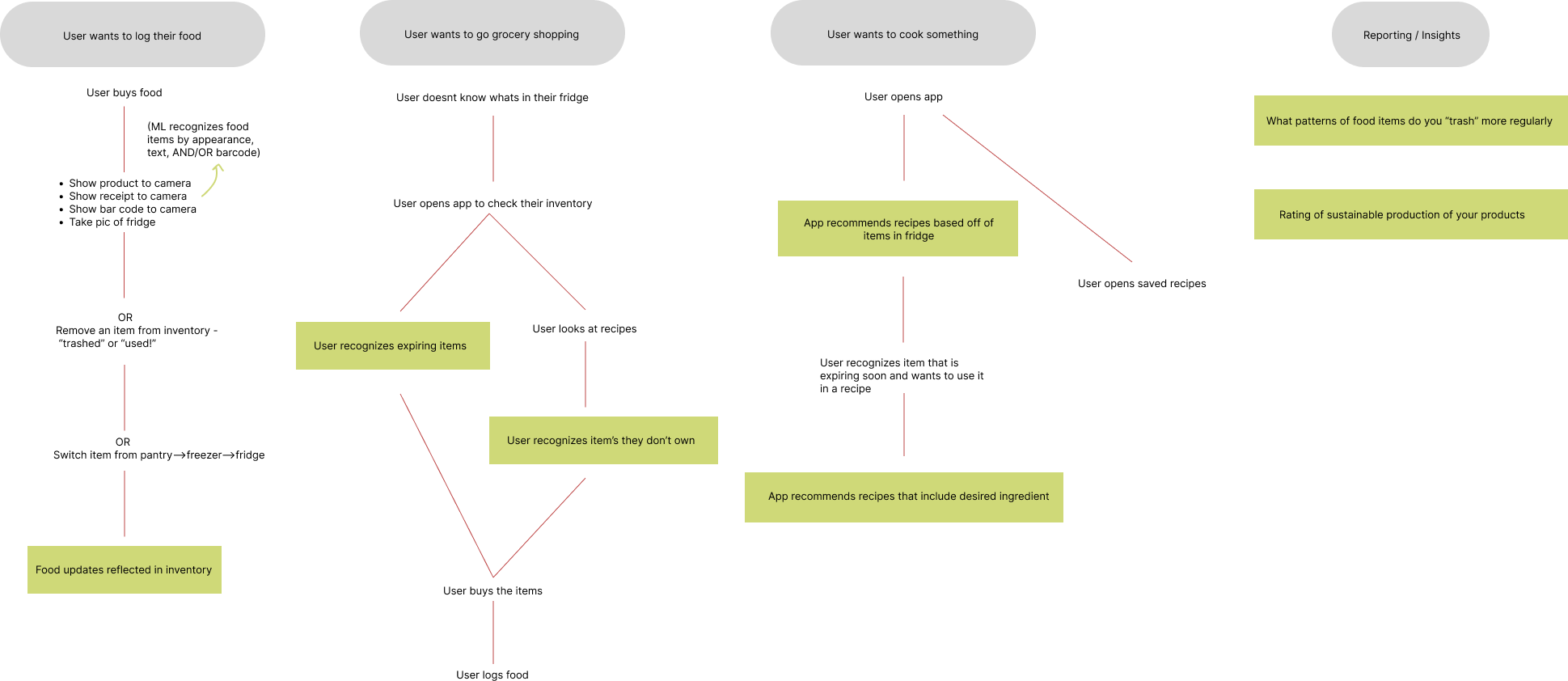
Site Map:
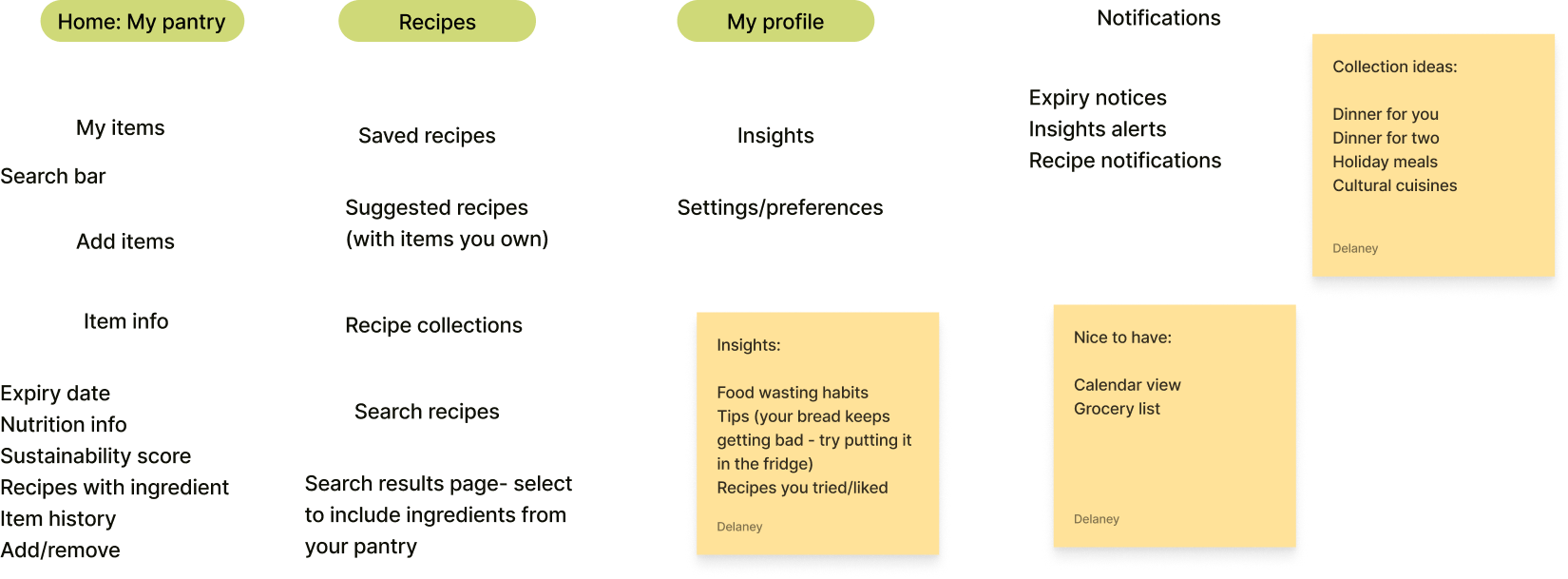
Wireframing
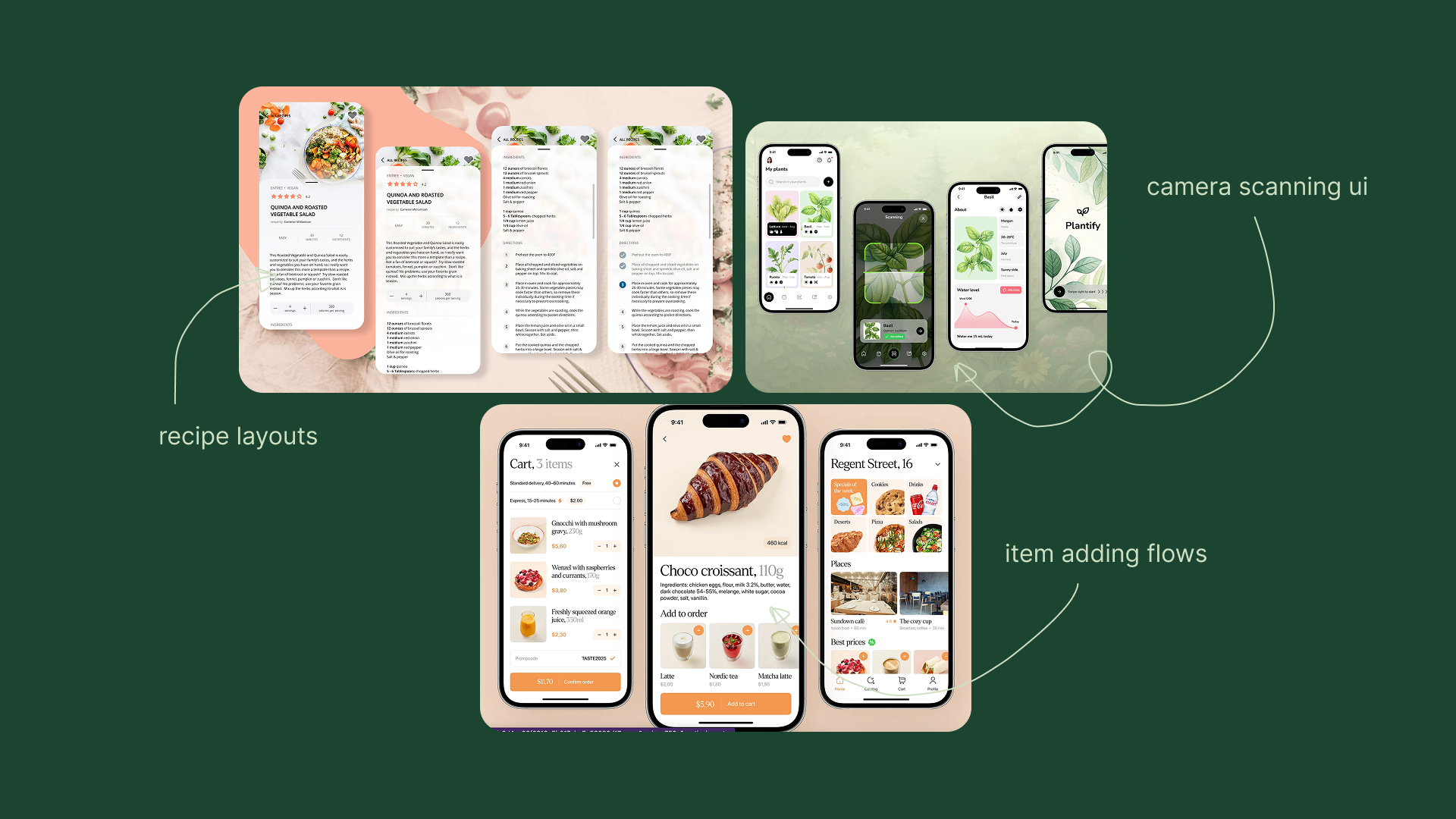
To guide the design of our pages, we conducted research into existing design patterns for displaying recipes, adding item flows, and scanning items using the camera on mobile devices.
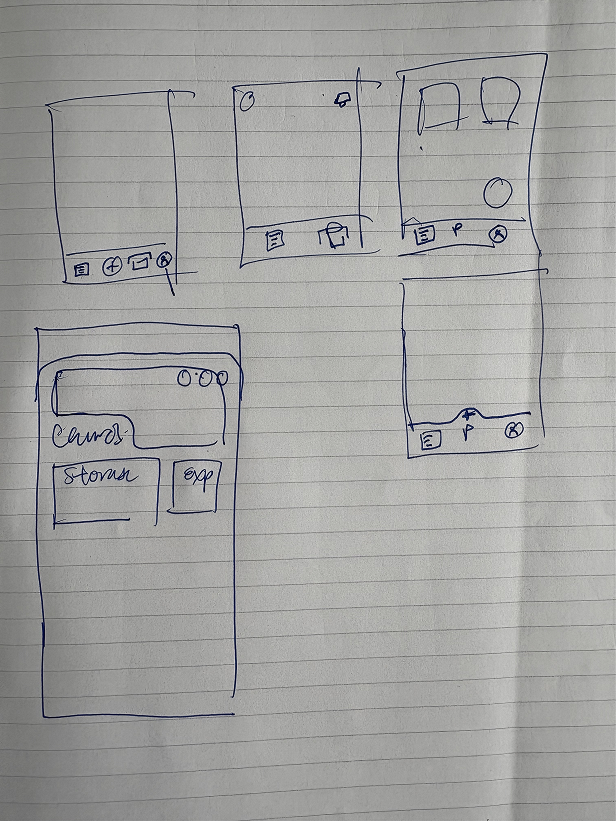
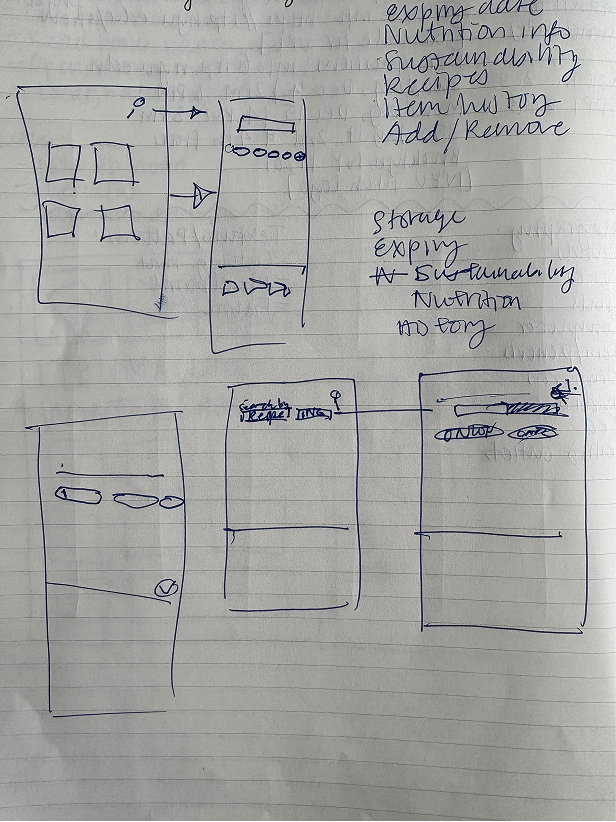
We started by sketching out our ideas for the different layouts on paper...
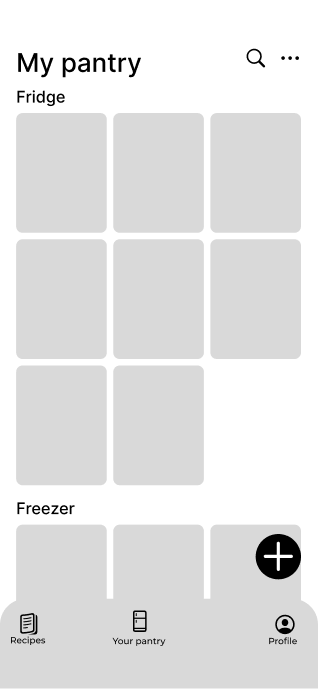
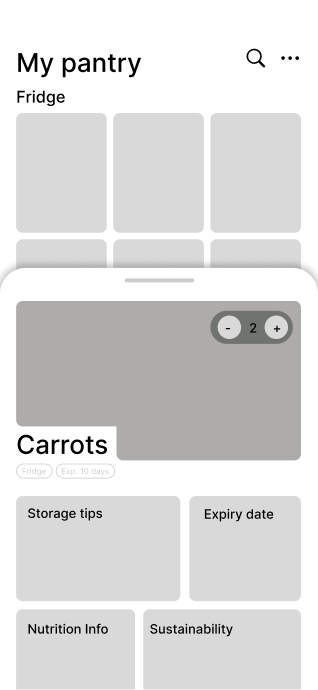
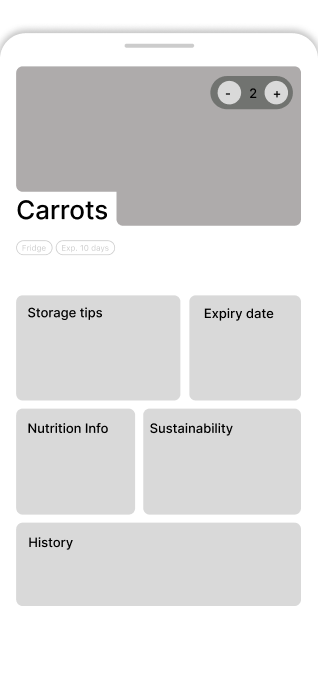
and then turned them into low-fidelity wireframes in Figma! Here you can see our wireframes for the inventory and item pages, as well as searching within the items you have.
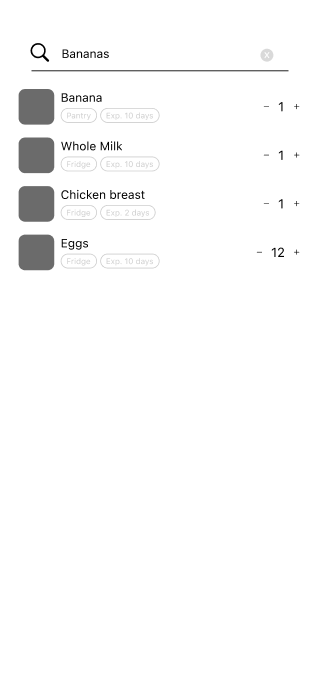
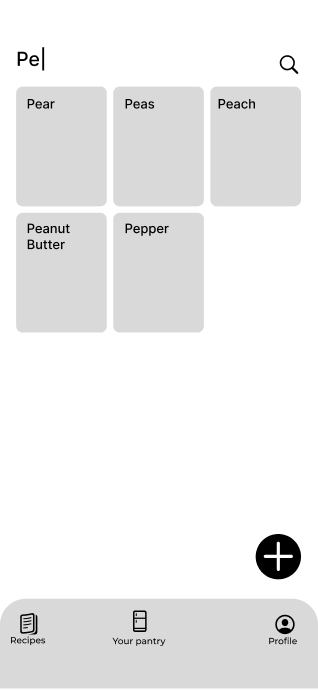
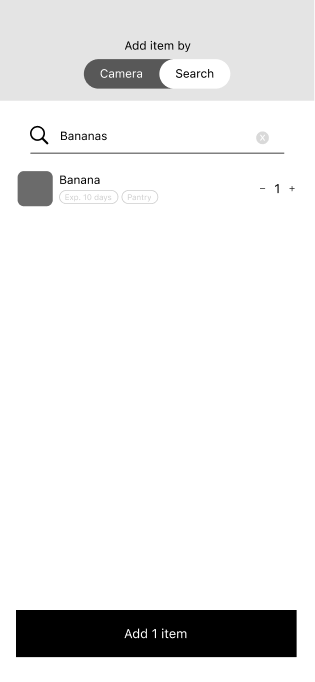
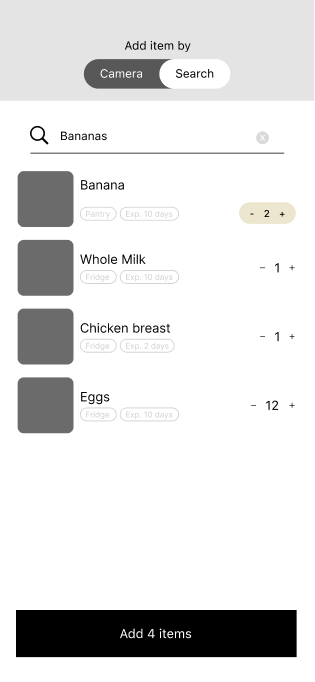
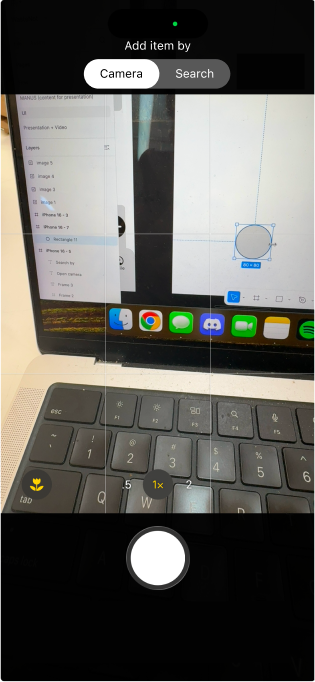
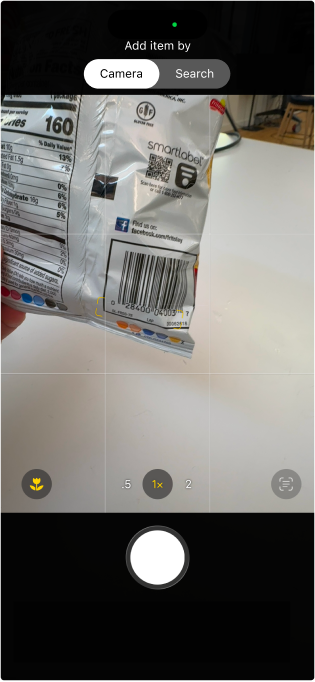
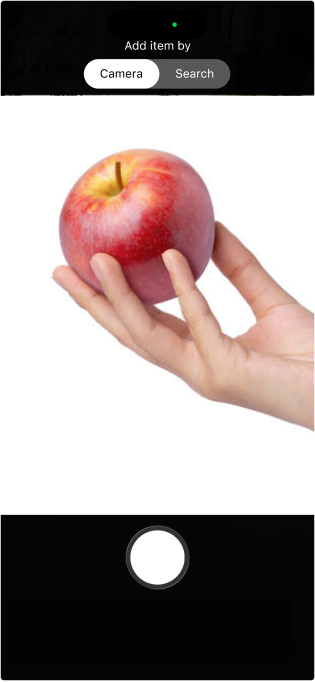
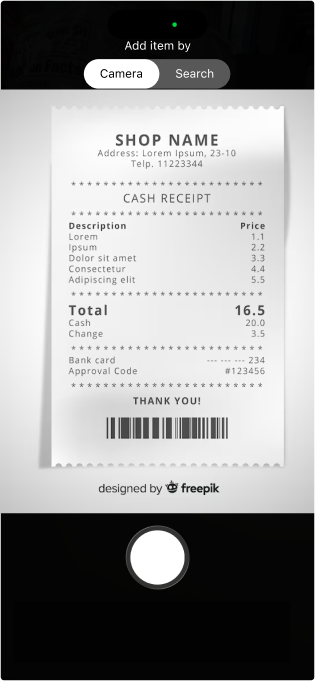
We also made wireframes for screens within the ‘Add item’ flow.
Users can add an item through search:
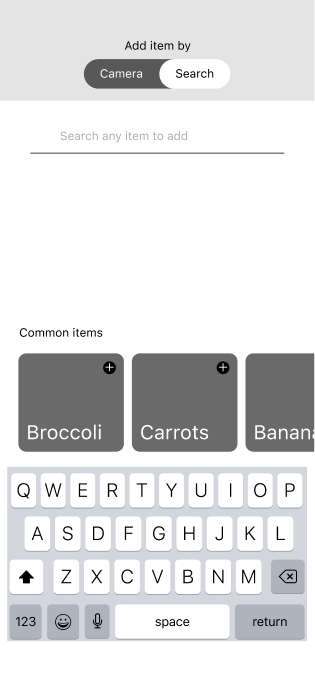
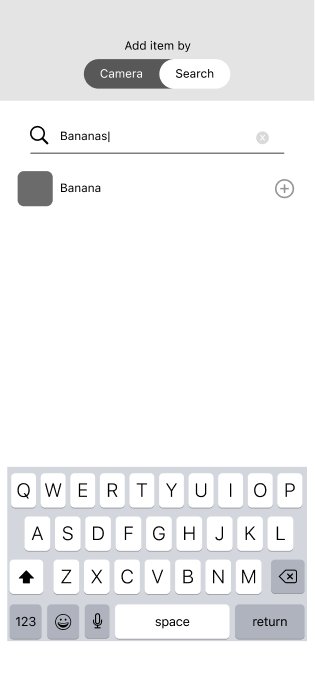
Or through the camera, which can be used to scan the item itself or the receipt from the grocery run:
Design System and Visual Language
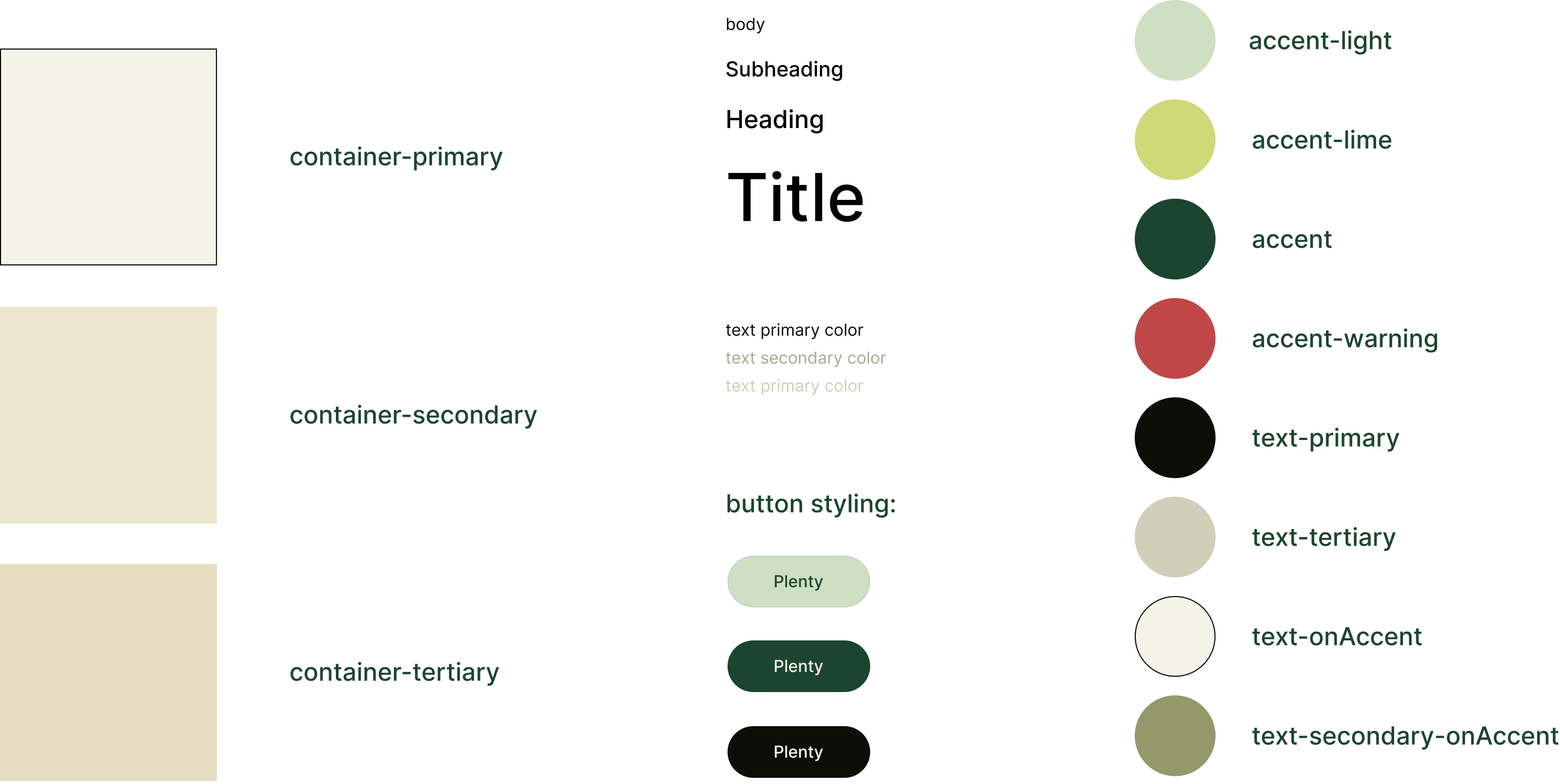
Within our team, I took on the task of creating the branding and visual language for our product. While gathering inspiration, I was drawn to modular layouts for their dynamic, yet clean feel. I felt that card layouts achieved a similar effect, and also had potential as a visual reference to a collection of recipe cards.
In terms of colors, I felt that earthy tones felt natural to the world of our product, but I also wanted to include a few bright accent colors to modernize the app and add a sense of energy.

BRANDING AND DESIGN SYSTEM
![]()
Designing and Iterating
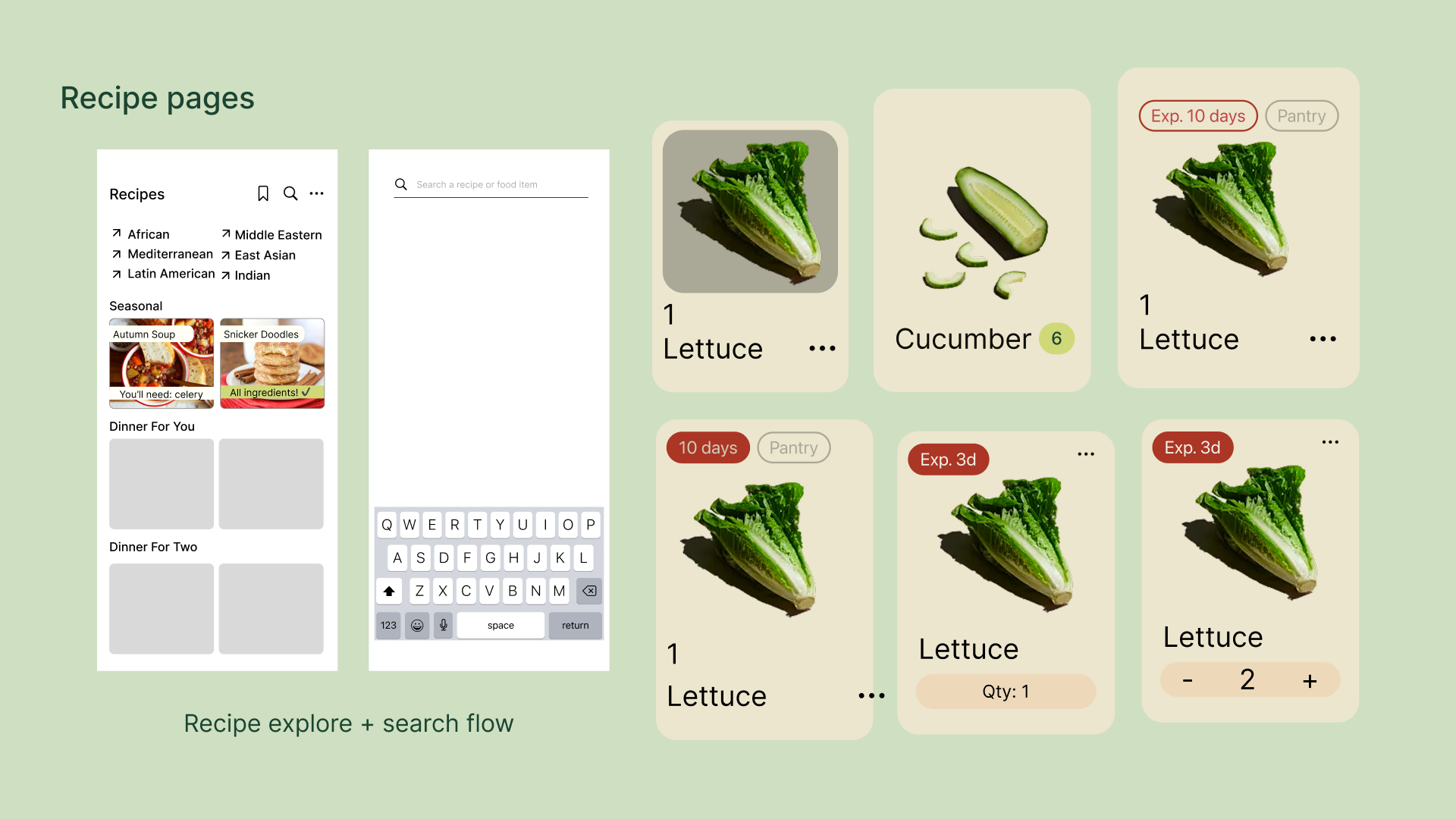
Utilizing our design system, we turned our low-fidelity wireframes into hi-fi mockups for three major user flows: Adding an item to your inventory, browsing a recipe using your available items, and viewing more information about an item in your inventory through the item’s details page.
ADD ITEM PAGES

ITEM DETAIL PAGES
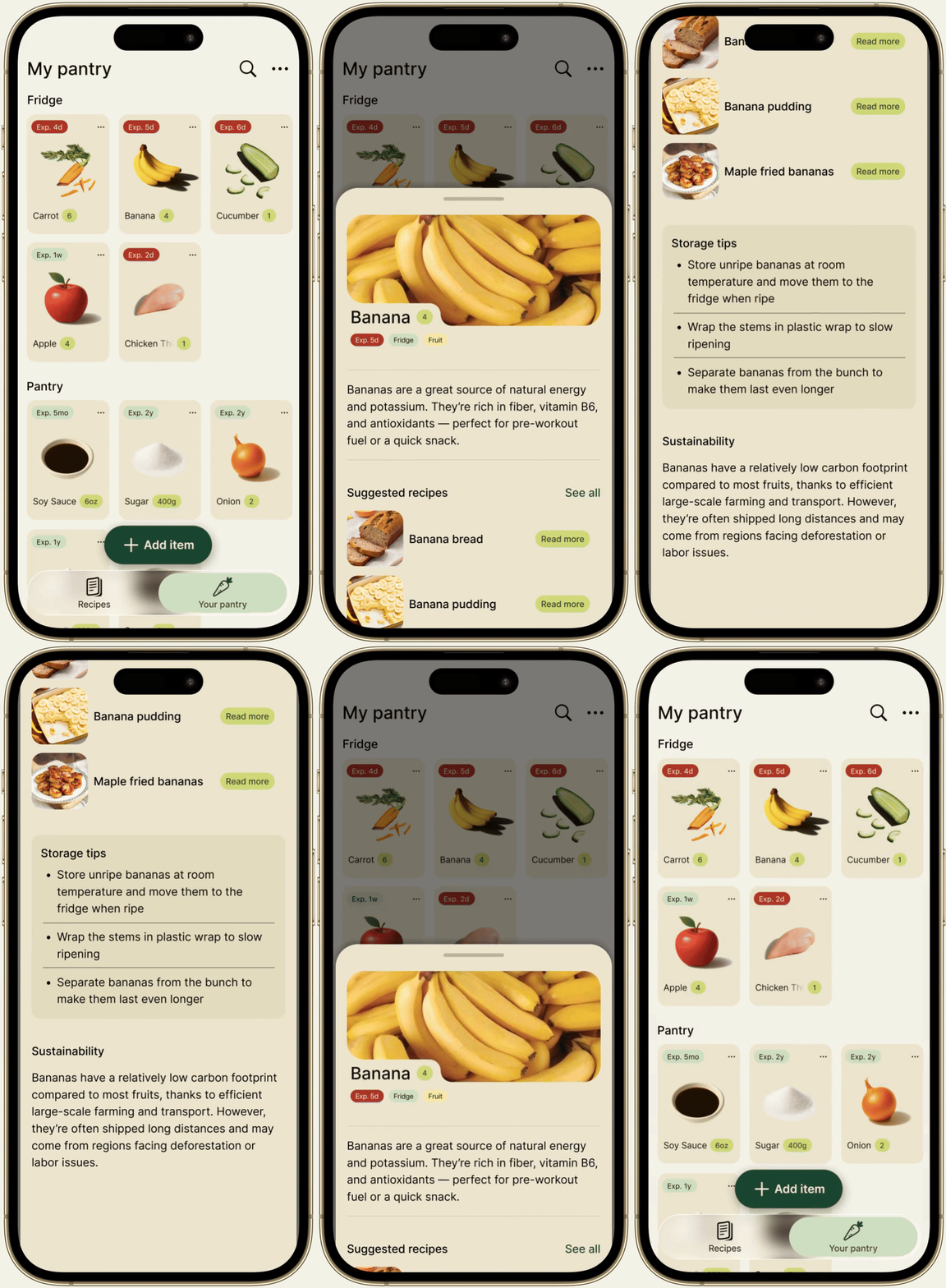
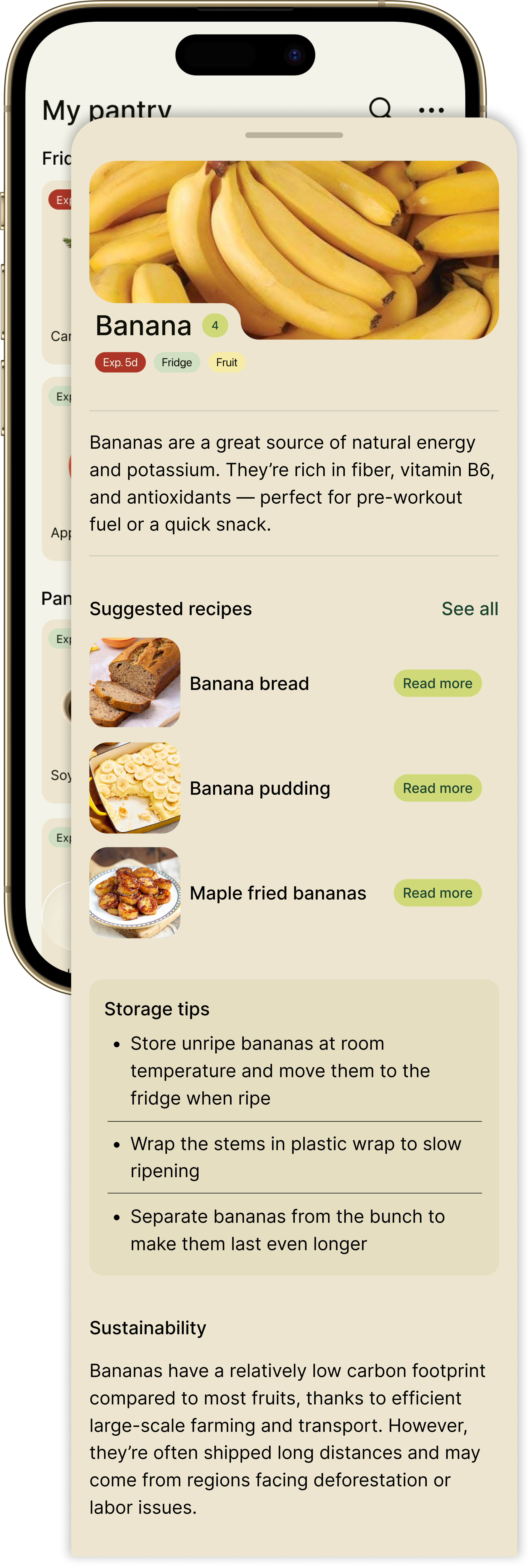
A user can tap on an item in their pantry to see more details, including:
- The food item’s quantity
- An expiry date based on when the item was logged
- A nutritional summary of the food item
- An AI-generated sustainability overview
- Storage tips
- Suggested recipes that include the food item
RECIPE PAGES
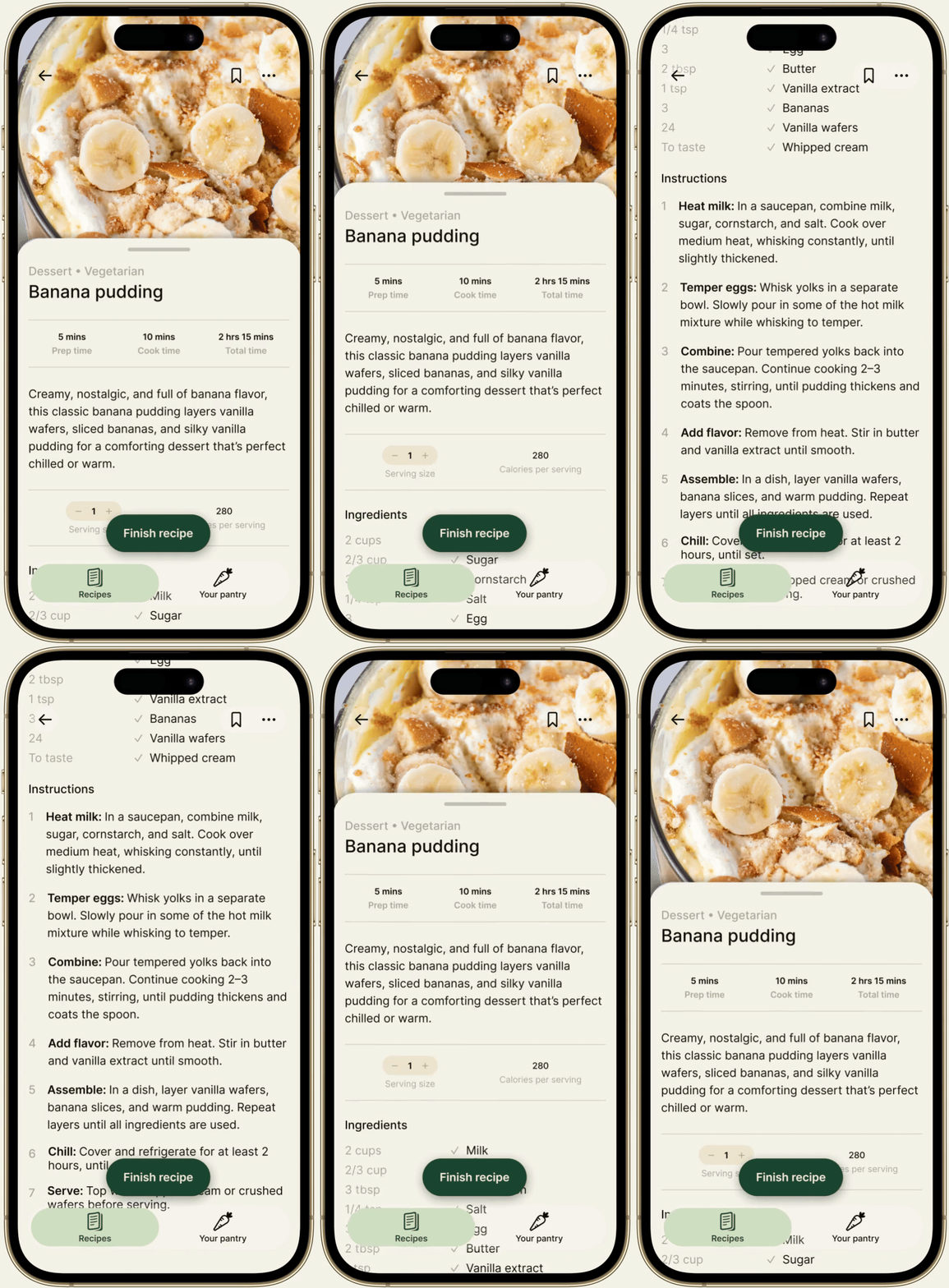
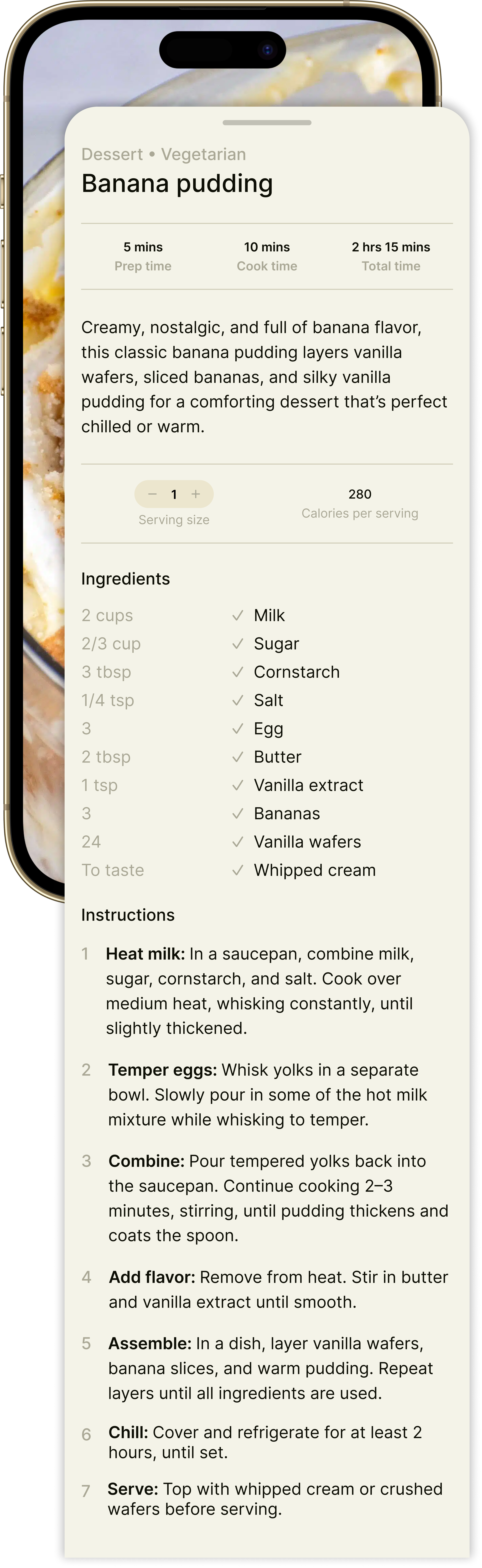
When a user finishes a recipe, their pantry will automatically be updated, subtracting the items and quantity used.
The ingredients section will tell the user which ingredients they already have in their inventory and which items they will still need to buy.
There is also functionality for users to bookmark the recipe to save it for later.
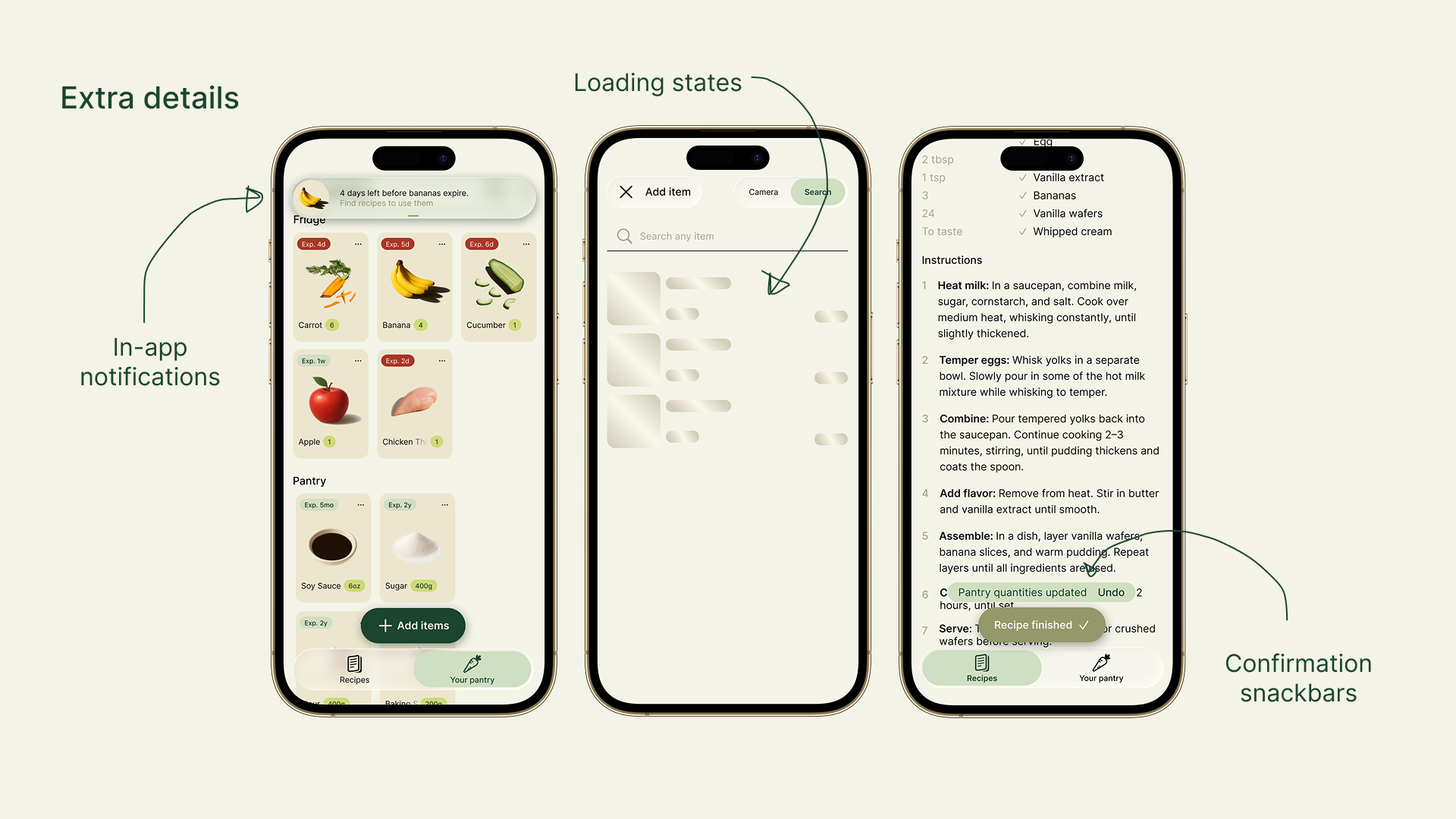
EXTRA DETAILS
In this design phase, we also built out different components, like in-app notifications, loading states, and confirmation snackbars to bridge our user flows!
Data Ingestion Strategy
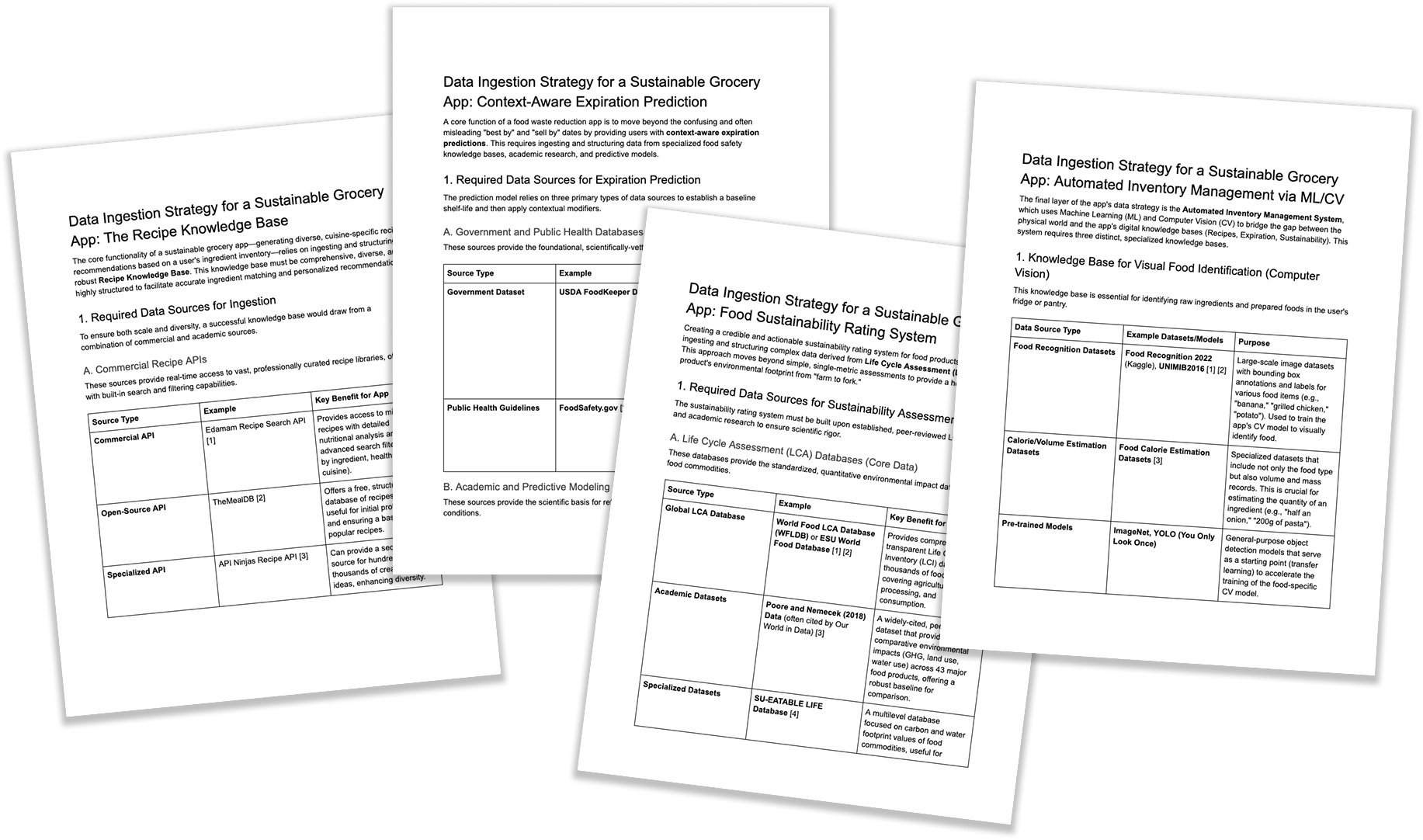
As a part of our pitch, we also did some research and thinking into what knowledge bases the AI would query to make quality personalized recommendations to our users.
These included:
- Recipe knowledge bases of various diverse cuisines
- Food health and safety knowledge bases for information on expiration dates and how to best store different food items
- Knowledge bases for sustainability/production process of food products (to be able to rank them)
- Food product databases that allow our ML camera to recognize food products by product name, appearance, and/or barcode
Using this list, we used Manus AI to put together research documents outlining example datasets and models that would create the different layers of our app’s data strategy.
What We Learned
We ran one round of testing through Manus, where we shared screenshots of our early flow. The feedback was super insightful– the Manus agent didn’t find the “Insights” page very useful for a first version, so we decided to cut it, among other reasons such as time constraints.
We also learned that building an inventory feature is harder than it looks! We quickly learned that we weren’t just tracking items, but needed to consider how people think about food, remember things, and form habits.
Cut for Time...
Given more time, we would bring back a revised Insights page that shows users how much they’re saving and how their habits are improving over time. We also plan to explore AI-generated recipes for items that are about to expire, shared household accounts, and smart grocery lists that updateautomatically.
Our next step is to build a functional prototype to gather user feedback. The goal is to move from a Figma prototype to something people can actually use, learn from how they interact with it, and keep refining!